First steps: onboarding, tour and checklist
The first time you log in, the terminal guides you: a short video, a few setup screens, then a one-minute tour. After that, a checklist stays in a corner until you have done everything.
1. The intro video
It plays once per account and per device. Skip (or Esc) to skip, Start to continue. You can watch it again from Account › Replay onboarding, the Academy (“Watch the intro”) or the page help (H).
2. Onboarding, screen by screen
A “n / 7” counter at the top. Skip jumps over the optional steps, except the password.
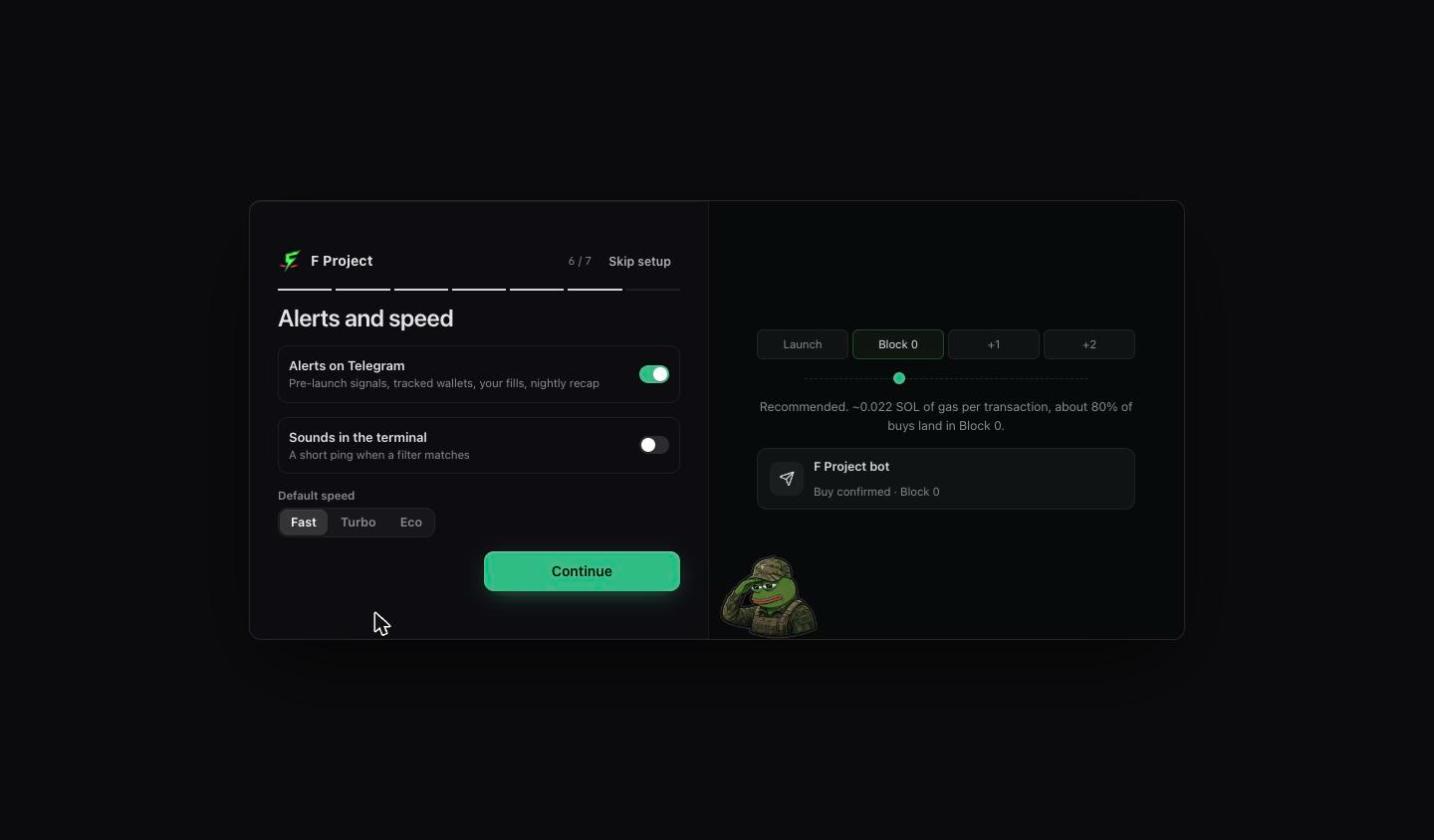
- 1Alerts on Telegram (on by default)
- 2Sounds in the terminal (off by default)
- 3Default speed: Fast, Turbo or Eco
| Step | Screen | What you do |
|---|---|---|
| 1 | Language + clipboard | Pick FR/EN. “Open tokens from your clipboard?” → Allow lets you paste a CA to open it right away. |
| 2 | Pick your username | Only if your bot has no referral code yet. Photo, username (= your referral code), display currency SOL / USDC / USD1. |
| 3 | Set your password | Only if your account has none. Required. Write it down: F Project can never show it again. See Security. |
| 4 | Pick your look | Terminal theme (F Project, Graphite, Contrast, Night), with a preview on hover. |
| 6 | Alerts and speed | Telegram alerts, sounds, and your default speed (see below). |
| 7 | Welcome | The desk in four parts (Radar, Rugger, Academy, Token). Take a 1-minute tour or Get started. |
| 8 | What’s new | The latest features. Open the desk. If your balance is under 0.05 SOL, the Deposit window opens next. |
Which speed to pick?
| Preset | For whom |
|---|---|
| Fast | Recommended. ~0.022 SOL of gas per transaction, about 80% of buys land in Block 0. |
| Turbo | More priority and tip, for crowded launches. |
| Eco | Cheaper gas, you will often land a block or two later. |
You can change it any time with F or the chip at the bottom left. Details: Buy & sell › Speed presets.
3. The tour (1 minute)
15 bubbles, in four chapters: Find, Trade, Learn, You.
- → or Enter = next, ← = back, Esc = end.
- The tour earns you 25 rank points (Rewards).
- Replay it whenever you want: Account › Take the tour or the compass at the bottom.
Each page also has its own help (H): how to read it, what to do first, the page’s terms, and a “Walk me through it” button for a tour of the page.
4. The “Getting started” checklist
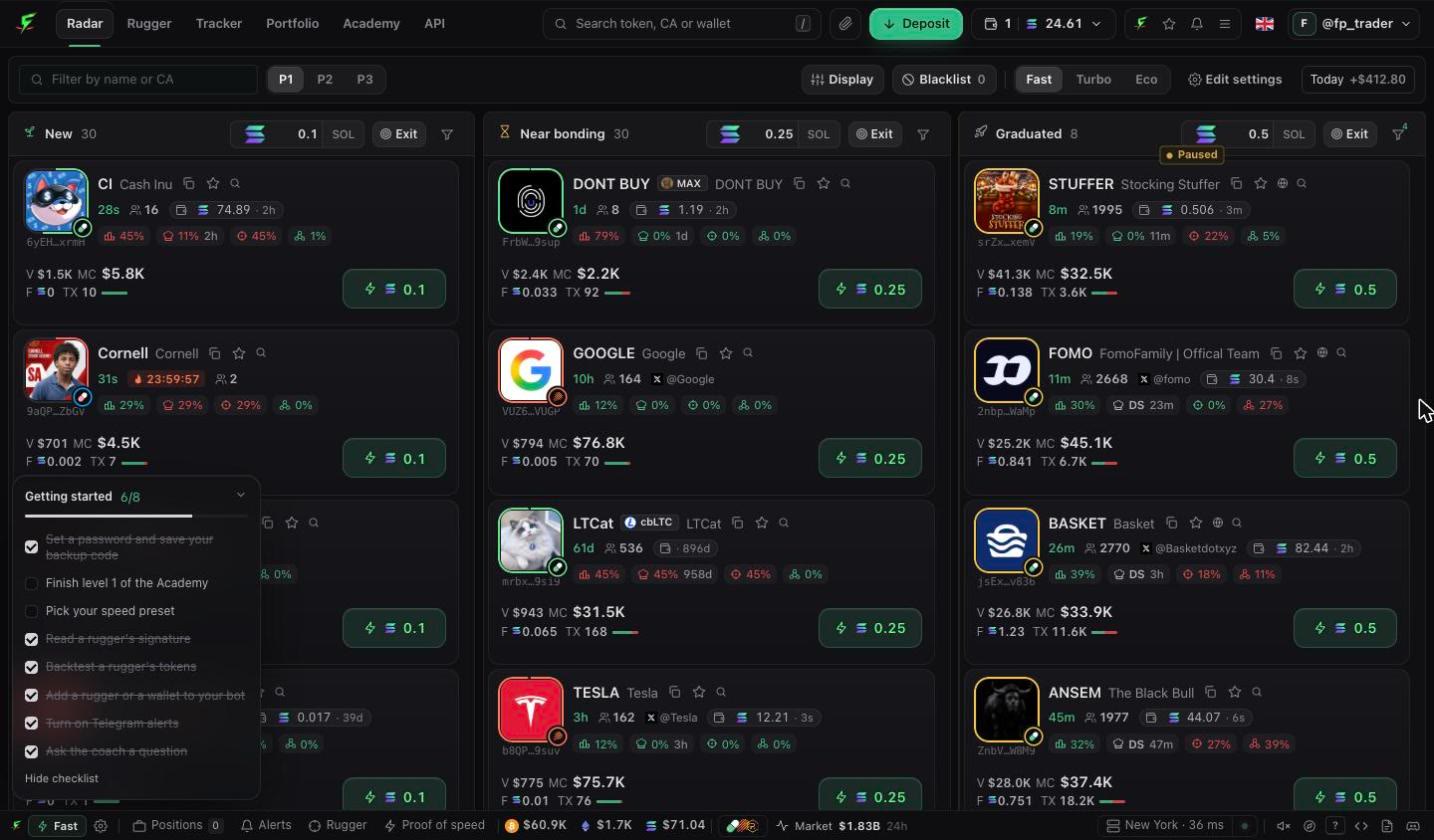
- 1Getting started · n/8
- 2Click a line = the right screen
At the bottom right (or collapsed into a pill), it shows n/8. Click a line: the terminal takes you to the right place.
- 1Each line opens the matching screen
- Set a password → Settings › Security
- Finish Academy level 1 → Academy
- Pick your speed preset → Speed presets
- Read a rugger’s signature → Rugger › Signatures
- Backtest a rugger’s tokens → Backtest
- Add a rugger or a wallet to your bot → Rugger › My ruggers
- Turn on Telegram alerts → Account › Alerts on Telegram
- Ask the coach a question → Coach
Hide checklist hides it; you get it back in More › Display › Getting started checklist.

Stuck somewhere? Press C and ask the coach. It knows every screen.