Overview & Installation
The F Project Chrome extension brings execution directly into your browser. The principle: information circulates on X, Discord and token pages — the extension removes all the steps between the moment you see a token and the moment you’re in position.
What it is (and what it isn’t)
The extension is a light client of the F Project infrastructure. It makes no calls to external APIs: everything goes directly through the F Project backend, with the same execution as the Telegram bot and the Terminal.
In practice:
- Same wallets, same positions, same trackers as on the bot — everything is synchronized
- Same execution speed (the extension sends the order, the infra does the rest)
- No market data comes from a third-party service
💡 The extension doesn’t replace the bot — it complements it. Fine-tuning your ruggers (TP/SL, protection, buy modes) stays on the bot. The extension is your fast execution station while you browse.
Installation
- Open the extension page: https://extension.fproject.gg/
- Click on Add to Chrome → Add the extension
- Pin the extension (puzzle icon 🧩 → pin) so it’s always visible
- Click the F Project icon and log in with your account
Once logged in, the extension automatically loads your wallets, presets and trackers.
Quick view of the interface
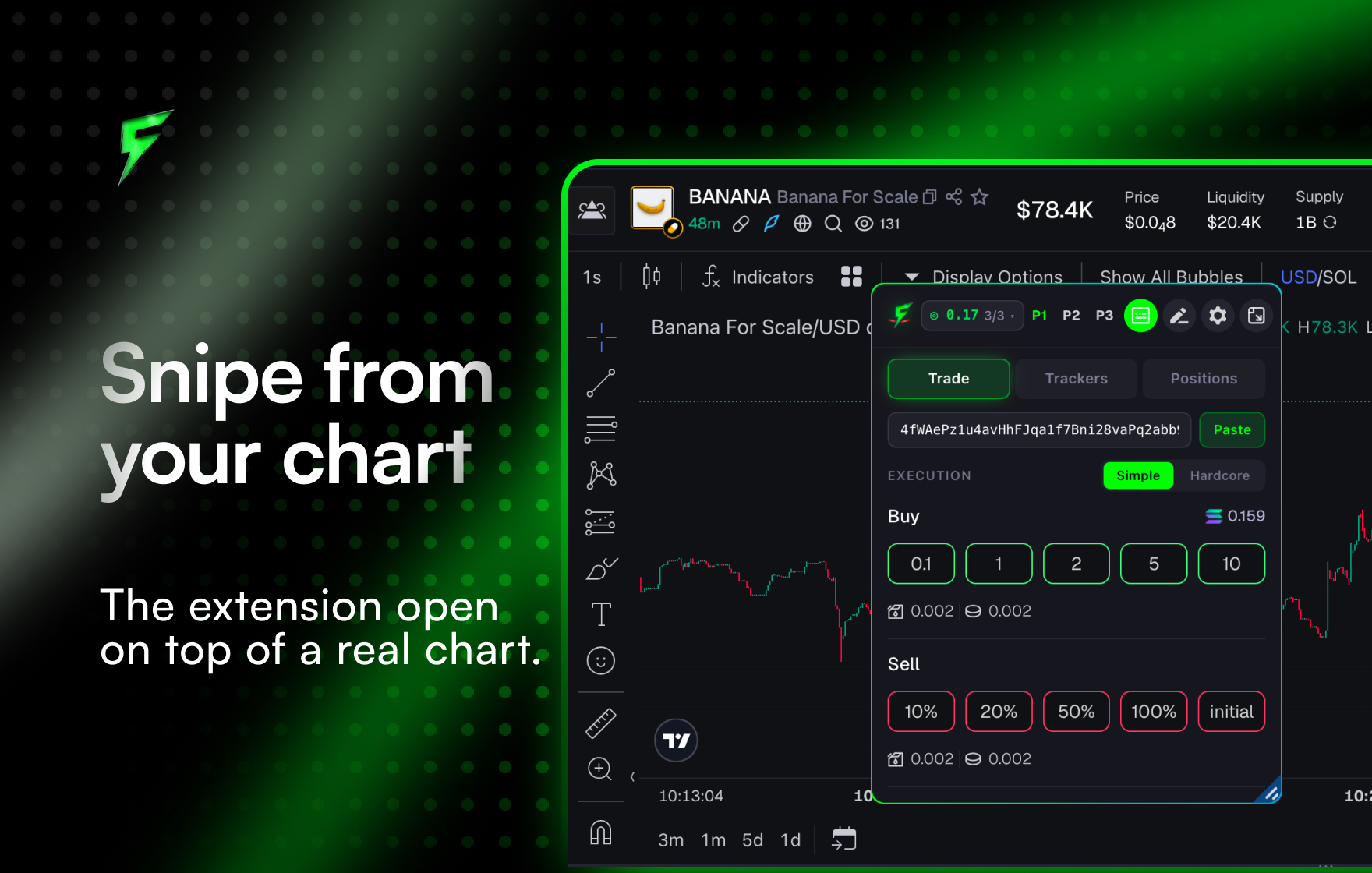
- Positions — your current tokens, with P&L and quick sell
- Trackers — your tracked ruggers, accessible without opening Telegram
- P1 / P2 / P3 — your three Quick Buy presets (amount + settings)
- Token detected — the CA of the current page, filled in automatically
Related pages: