Notifications, alerts and error log
Toasts
The messages at the top of the screen: fills, alerts, errors. 4 visible max, ~4 s each, click to close. Position: Settings › Notifications › Where they appear (Top right, Bottom right, Top left).
The bell
The bell at the top opens Notifications: Tracker alerts, fills, events, errors.
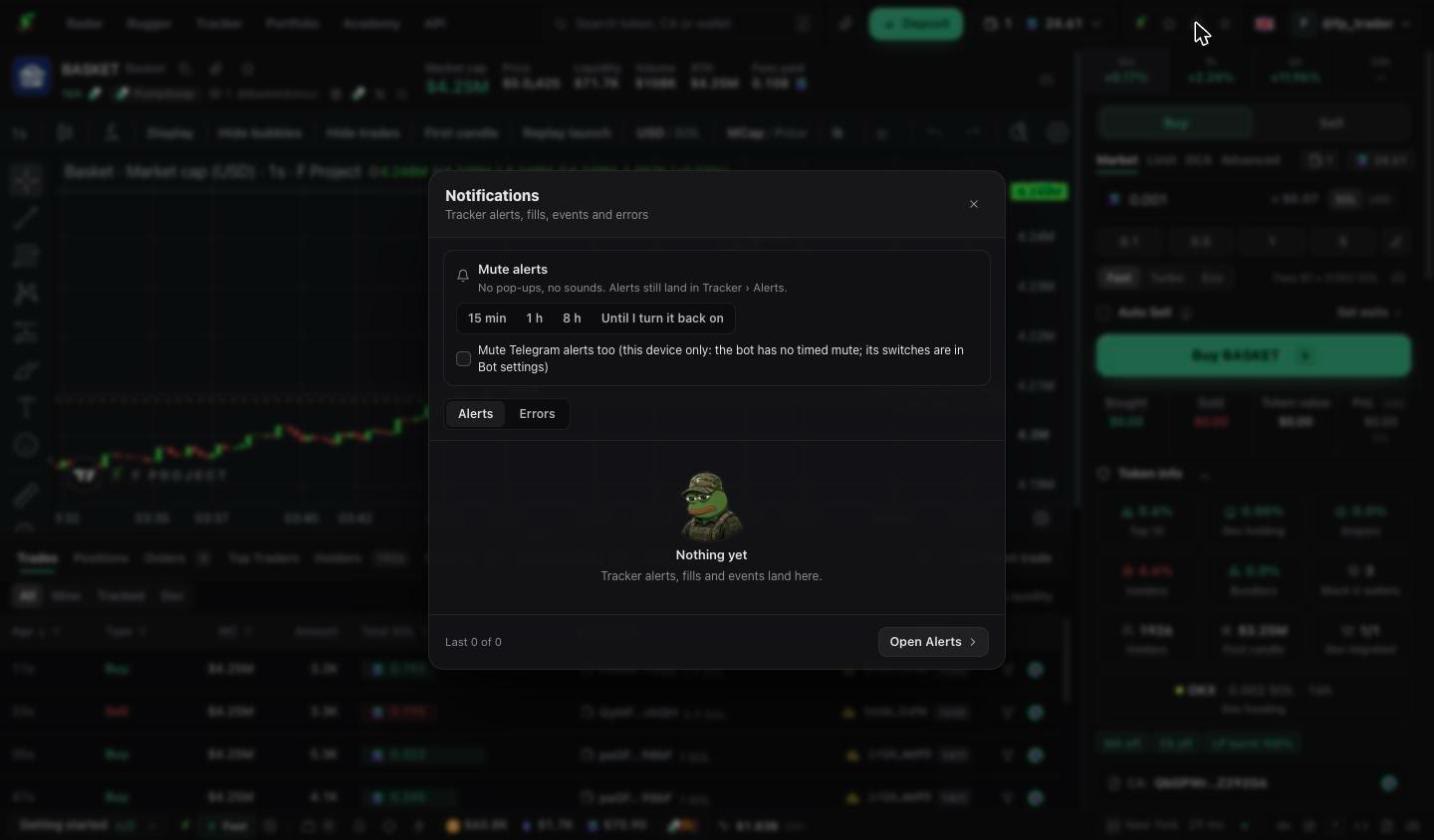
- 1Mute: 15 min, 1 h, 8 h, Until I turn it back on
- 2Alerts tab (last 12, empty here) · Open alerts
- 3Errors tab: every error message, kept
- Mute for 15 min, 1 h, 8 h or “Until I turn it back on”. Option: also mute Telegram alerts (this device only). Shortcut M.
- Alerts: the last 12, link to Tracker › Alerts.
- Errors: every error message shown, with the full text, the time and the page/action. Up to 100 entries on this device. Clear errors.
A problem? Open Errors, take a screenshot of the entry and attach it to your Support ticket. It’s the fastest way to help us.
Sounds
Settings › Sounds: one sound per kind (Your trades, Tracked wallets, Dev alerts, Radar events, Orders), with preview. The speaker in the status bar mutes everything.
Settings › Notifications › Which events: Migrate, Expand, Buy (on), Sell (off).
Telegram alerts
- Account › Alerts on Telegram: sends the terminal’s alerts to Telegram (this device).
- Your bot’s alerts follow Bot settings › Telegram notifications: see The desk › Bot settings and 🔔 Bot notifications.
Connection status
Bottom right: Connected / Connecting… and the current Solana slot.
- The connection restores itself; your Radar filters are resent after each reconnect.
- On load, the startup screen shows each step (terminal, session, profile and wallets, market data, first Radar rows). After 15 s without progress: Retry or Open anyway.
- “System clock out of sync”: your computer’s time is off by more than 30 s. Turn on automatic time.