PnL cards to share

An image or video card of your trade, ready for X, Telegram or the Discord.
Where to open it: the token page’s Position strip (click the PnL), Portfolio (a row, or Share PnL for the whole period with 1D/7D/30D/MAX), the Recap, or the Recent PnL of a wallet sheet.
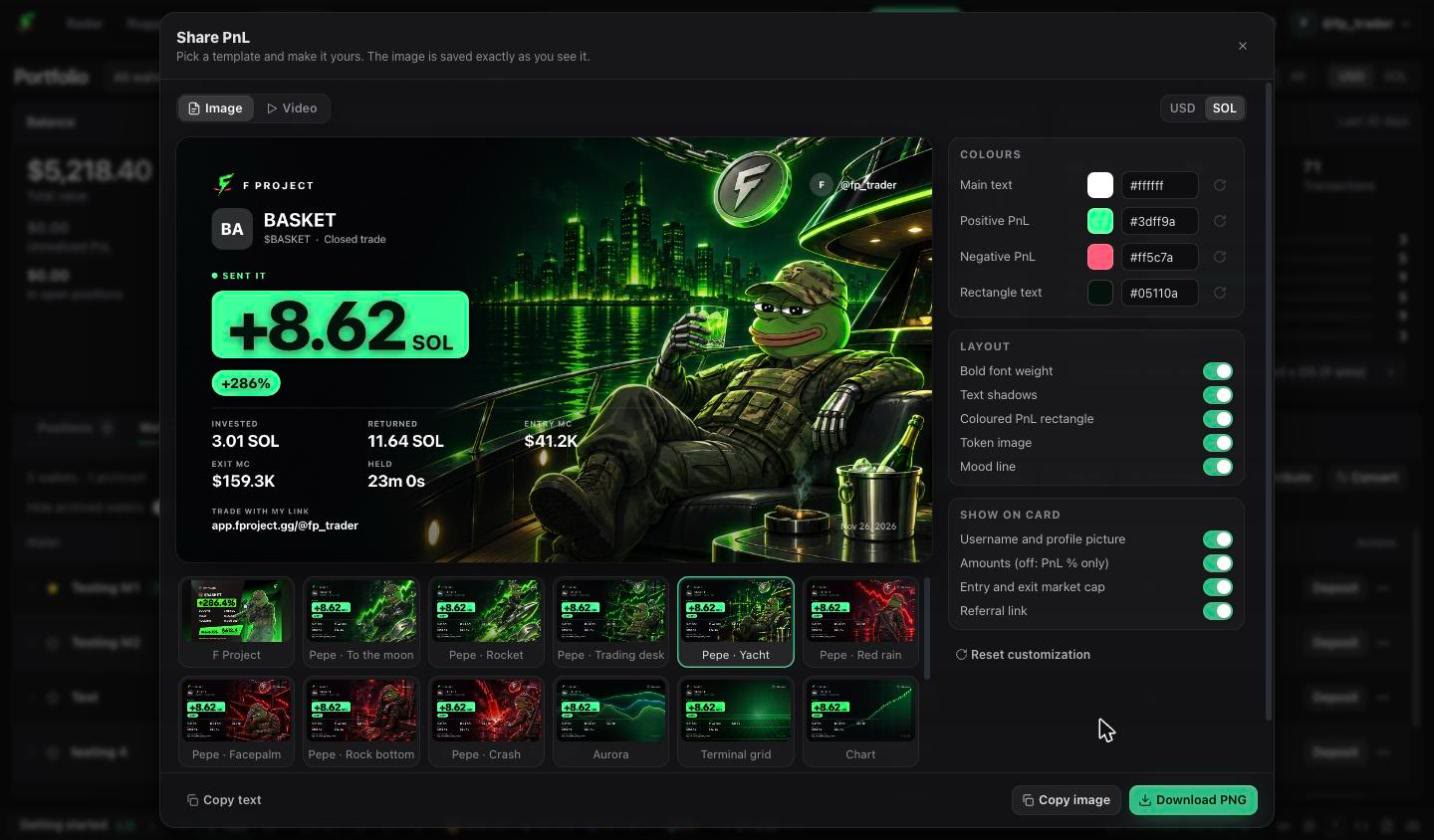
- 1Image / Video · USD / SOL
- 2Card preview
- 3Templates: F Project, Pepe, Classic…
- 4Customize: colours, layout, what shows
- 5Copy text · Copy image · Download PNG
The templates
Until you pick one, the template follows the result: a winning look for a profit, a losing look for a loss.

To the moon, Rocket, Trading desk, Yacht.
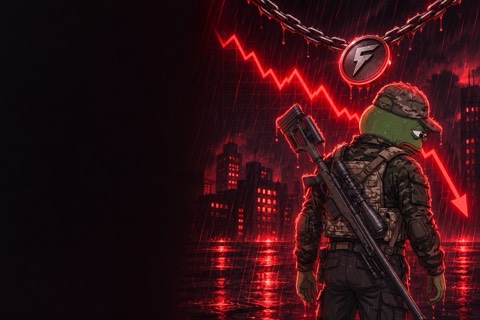
Red rain, Facepalm, Rock bottom, Crash.

The default template, win or loss version.
| Family | Templates |
|---|---|
| F Project | Default, win or loss automatically. |
| Pepe (win) | To the moon, Rocket, Trading desk, Yacht. |
| Pepe (loss) | Red rain, Facepalm, Rock bottom, Crash. |
| Styles | Aurora, Terminal grid, Chart, Dusk, Night drive, Neon, Loud, Minimal. |
| Classic | Dusk, Neon, Night drive, Receipt, Minimal, Loud. |
| Your photo | After you upload an image (max 0.5 MB after compression; refused above 25 MB). |
Customize
| Section | Options |
|---|---|
| Colours | Main text, positive PnL, negative PnL, box text (or “follow the template”). Night / Teal / Paper tone. Darken the background 0–80. |
| Layout | Bold font, text shadows, coloured PnL box, token image, mood line. |
| Show on card | Username and photo, amounts (otherwise just the %), entry and exit MC, referral link (app.fproject.gg/@username). |
Classic cards keep their colours: only the tone, your photo behind the card and the username. Reset customization resets everything. Your choices are saved on this device.
Turn on the referral link on your cards: everyone who signs up through your card becomes your referral. See Rewards.
Share an image
- Copy text: “F Project · $TICKER · +$x · +y% · @you · link”.
- Copy image (downloads if your browser can’t copy).
- Download PNG.
Export a video
Video mode:
- Upload up to 3 background videos (200 MB max each).
- Format 16:9 (1280×720), 4:3 (1280×960) or 1:1 (1080×1080). Text left-aligned or centred.
- Add a sound (up to 10 tracks, 40 MB max) or “No audio”.
- Export video: 8 s (or your video’s length, 10 s max), 30 fps, MP4 or WebM depending on your browser.
Videos and sounds stay on your device and are forgotten when you close the window.