Log in

The terminal logs you in with Telegram only: the Telegram account linked to your F Project bot. No email, no password at login.
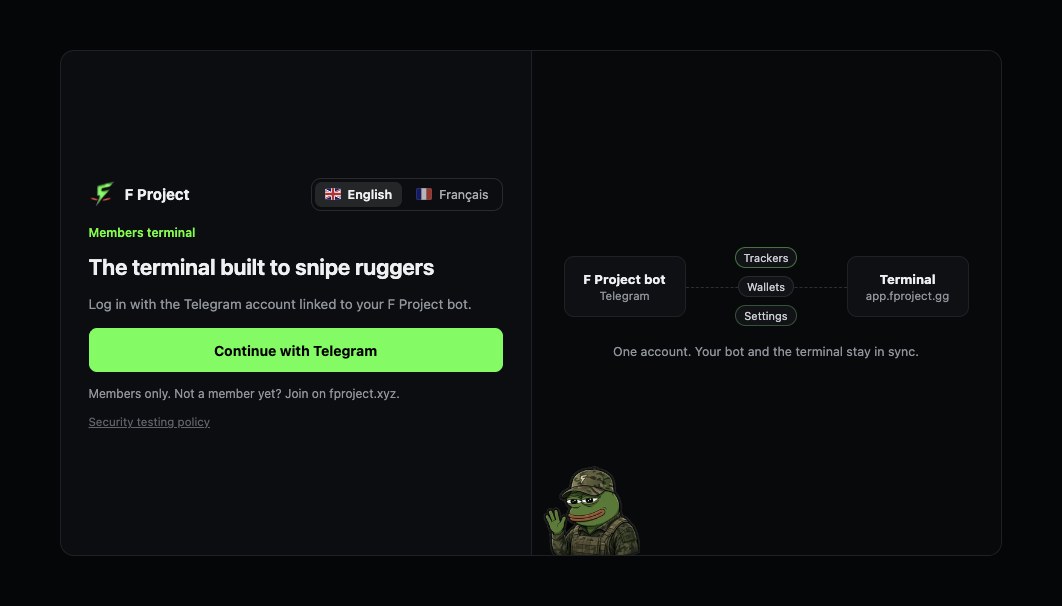
- 1Continue with Telegram: opens the Telegram login window
- 2Members only: link to fproject.xyz to join
- 3F Project bot ↔ Terminal: one account, in sync
- 4Language choice EN / FR
Open app.fproject.gg
Go to app.fproject.gg . If you are not logged in, you land on /login (“The terminal built to snipe ruggers”).
Continue with Telegram
Click Continue with Telegram. The Telegram window opens: accept with the Telegram account linked to your bot. The button shows “Verifying…” during the check.
2FA code (if on)
If you turned on two-factor authentication at login, enter the 6 digits from your app. Login goes through on its own at the 6th digit. Details: Security.
You are on the Radar
By default you land on /radar. The first time, the onboarding starts.
Members only
Only active F Project members get in. The rule is the same as for the bot: an existing bot account, an active membership, and no ban on the Discord.
- If your membership is not active, you see: “You need an active F Project membership.” then “Taking you to fproject.xyz…”.
- This check can also happen later (session refresh, while you use the app) if your membership expires.
- Just paid? Access opens in under a minute.
Join F Project: fproject.xyz .
Session and devices
- A login stays valid for 30 days on that device. When you come back, the session refreshes on its own: no need to click again.
- Each login shows in Settings › Security › Signed-in devices. You can log out one device, the others, or all. See Security.
- If you were logged out, the reason shows on the login page (session expired, device logged out…).
Referral link
An app.fproject.gg/@username link remembers the referrer for 30 days in that browser, then sends you to login. The referrer is saved only once, for good. See Rewards.
Login errors
| Message | What to do |
|---|---|
| Telegram login cancelled. | You closed the Telegram window. Click again. |
| Telegram did not load. | Ad blocker or network. Turn off the blocker for app.fproject.gg and try again. |
| Too many tries. Wait a few minutes, then try again. | Wait 2–3 minutes. |
| This login expired. Continue with Telegram again. | The 2FA code was requested more than 5 minutes ago. Start over. |
| That code is not right, or it was already used. Wait for the next code and try again. | Wait for the next code (30 s) and try again. Check your phone’s clock. |
| You need an active F Project membership. | Renew at fproject.xyz . |